Creating and Managing Long Term Reservations with Flexible Check-Out and Recurring Payments
This guide will help you navigate the new functionalities including Flexible Check-Out Reservations, Recurring Invoice Schedules, and Automatic Payments!.
What is a Flexible Reservation?
A Flexible Reservation allows for an open-ended stay with a ""To Be Determined"" (TBD) check-out date, ideal for guests unsure about the length of their stay. These reservations require setting up a Recurring Invoice Schedule to ensure seamless monthly billing.
Creating a Flexible Reservation
- Login to your RoverPass Owner Portal.
- Navigate to 'Create New Reservation'.
- Choose the 'Flexible Check-Out' option.
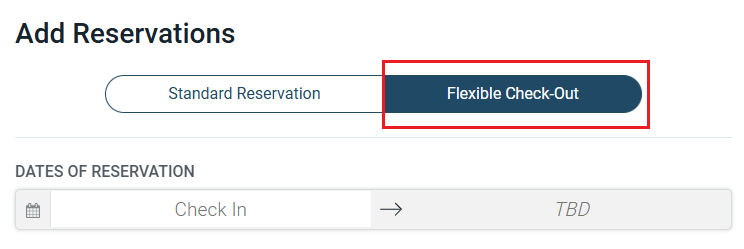
4. Select your check-in date. and site
5. Enter all customer information and click 'Proceed to Payment Schedule'.
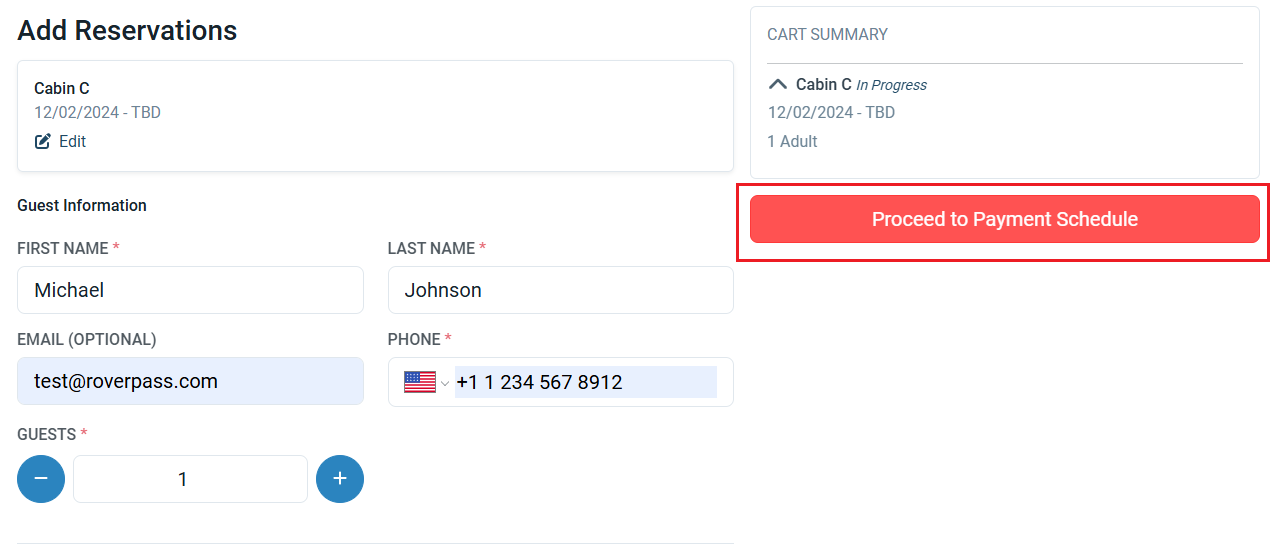
6. Choose your Billing Type, then set the schedule. You have two options:
Option A — Monthly: invoices generate on the same day each month.
- Select a Billing Start Date. The Billing Day shown next to it is the day of the month each invoice will generate.
- Under Billing Period, choose how often to invoice: Monthly, or anywhere from Every 2 months up to Every 12 months. For example, choose Every 3 months to bill quarterly.
Option B — Fixed Interval: invoices generate on a set number of days, rather than on a calendar date.
- Select a Billing Start Date.
- Under Billing Frequency, choose Weekly (7 days), Bi-weekly (14 days), Every 4 weeks (28 days), Every 30 days, Every 60 days, Every 90 days, Every 180 days, or Custom to set your own interval.
Not sure which to pick? Use Monthly if the guest expects to be billed on the same date every month — the most common setup for long-term stays. Use Fixed Interval if you bill on a rolling cycle instead, such as every two weeks.
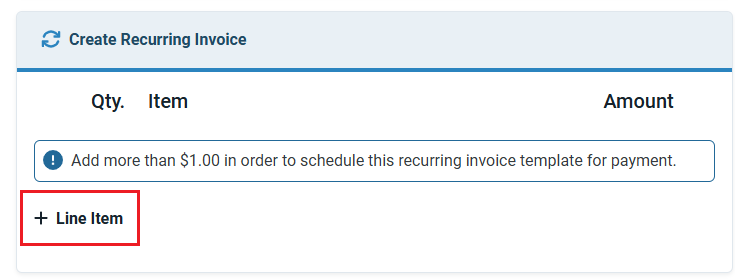
7. Click 'Add Line Item'
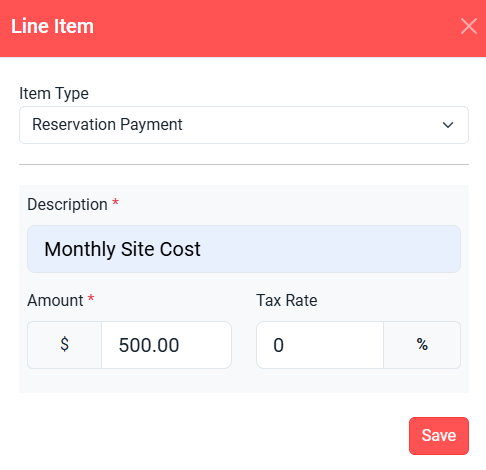
8. Enter your monthly price, and tax rate. Here you can also add any other items or fees that will be included on every invoice, such as a monthly electric deposit or internet bill.
9. Click 'Proceed to First Payment'
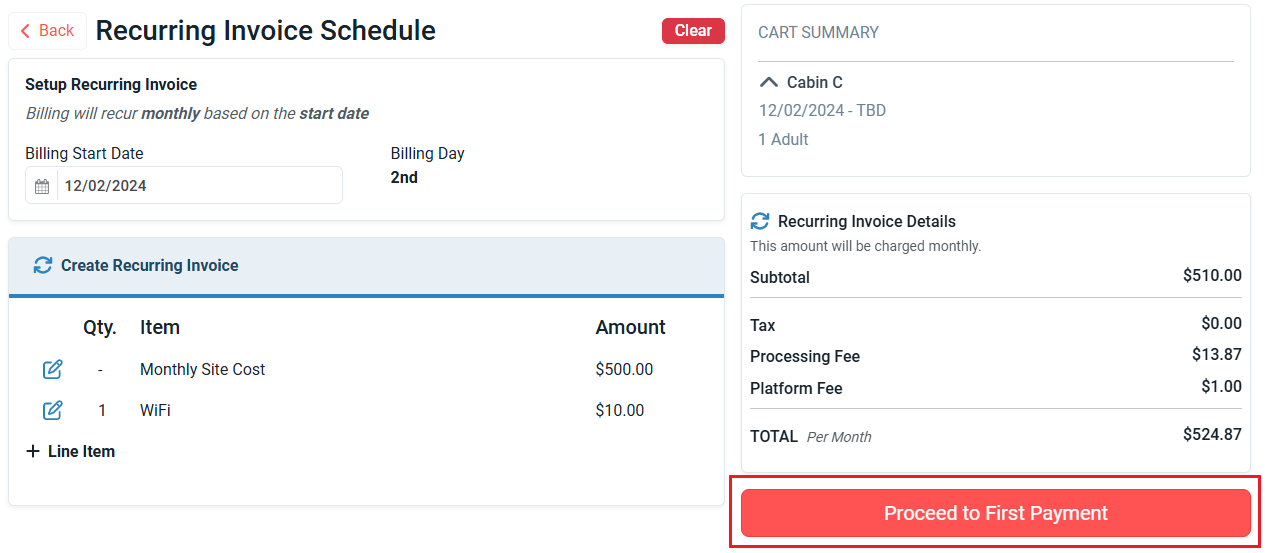
10. Choose if you will take payment for the first invoice now, or click 'Pay Later' and send the first invoice to the guest.
11. Select either 'Pay & Complete' or 'Complete Reservation'.
12. Flexible Reservations will automatically block the site on the calendar until a check-out date is specified, or by default until the year 2099 (😮)
Editing and Stopping a Recurring Invoice Schedule
- To Edit: Navigate to the 'Payments' tab on the reservations detail page and click 'Edit Template' on the Recurring Invoice bar.
- To Stop: Go to the 'Reservation Overview', and click 'Stop Recurring Invoice Schedule'. This will set the end date for the reservation and create the final invoice.
Autopay: Please refer to the following help articles for instructions on setting up automatic payments
FAQs
- Can I switch a standard reservation to a Flexible reservation? No, you must cancel the standard reservation and recreate it as a Flexible reservation.
- Can I change the billing cycle after creating a reservation? No. The billing cycle cannot be changed after the reservation has been created. If you need to use a different billing cycle (for example, changing from monthly to weekly), you’ll need to: Modify the current reservation and check the guest out. Create a new reservation using the correct billing cycle.
- Can a campground create a Flexible Reservation without a Recurring Invoice? No, a Recurring Invoice Schedule is necessary for a Flexible Reservation.
- What if the billing day falls on a date not present in the month? The payment will be processed on the last day of that month.
- Can campgrounds set up Autopay or ACH for a camper? No, campers must set these up themselves for security reasons.