Knowledge base

What to do if the site you want to move a reservation is not showing available?

I'm unable to find a specific site available when attempting to relocate my camper.

When moving a camper to a different site, the reservation you're moving should not overlap with any existing or past bookings on the new site.
  • For instance, if today is May 23rd and the reservation you want to move starts on April 1st and ends on July 15th, the new site must be available for the entire duration. If there's a block or reservation on the new site from April 15th to 20th, this overlap will prevent the transfer from being possible and the site will not show available.

There are two workarounds for this. 


1. Move just a piece of a reservation. You can modify the checkout date to today, proceed to check out the reservation, and create a new one for the remaining days in the desired site.

You will need to follow the steps in Getting Started with RoverPass - Minute 14:09.


                                                                 Or


2. Move the previous reservation to another site.

For this, you can check your Site Availability Grid report located in your Reports tab. This report provides enhanced visibility into both historic and upcoming reservations.
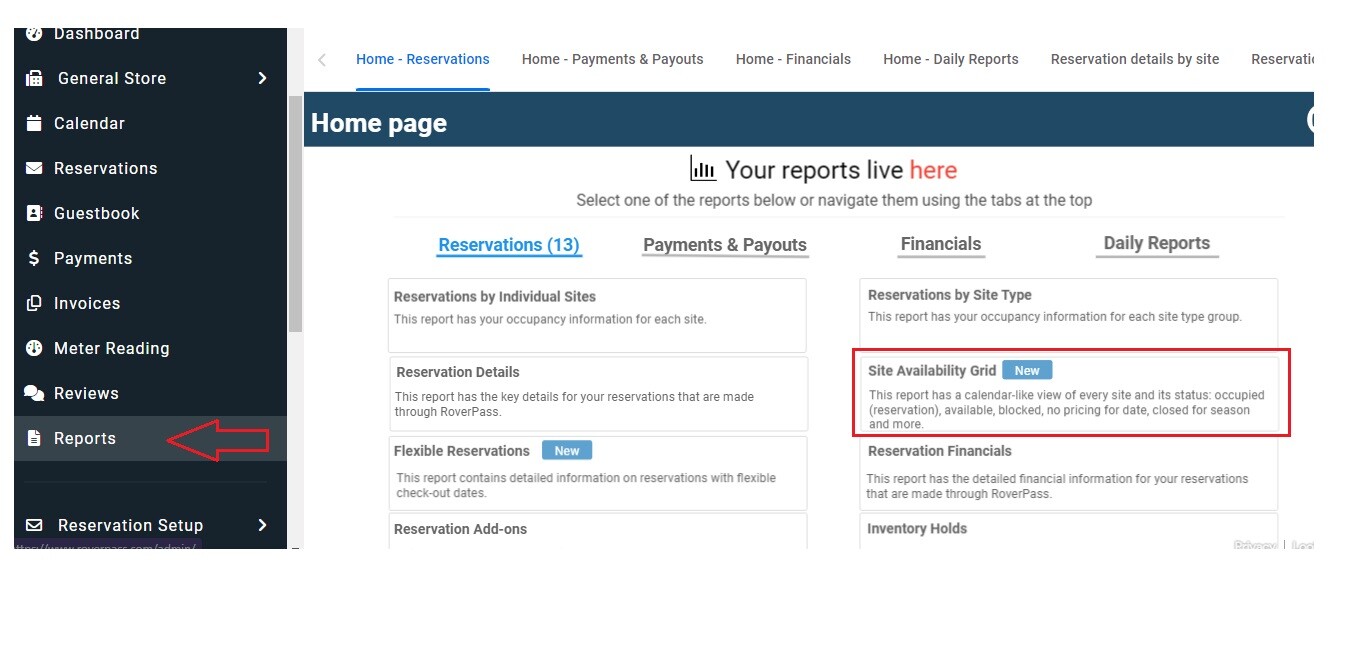
9

Then sort by reservation check/checkout date and Site number.
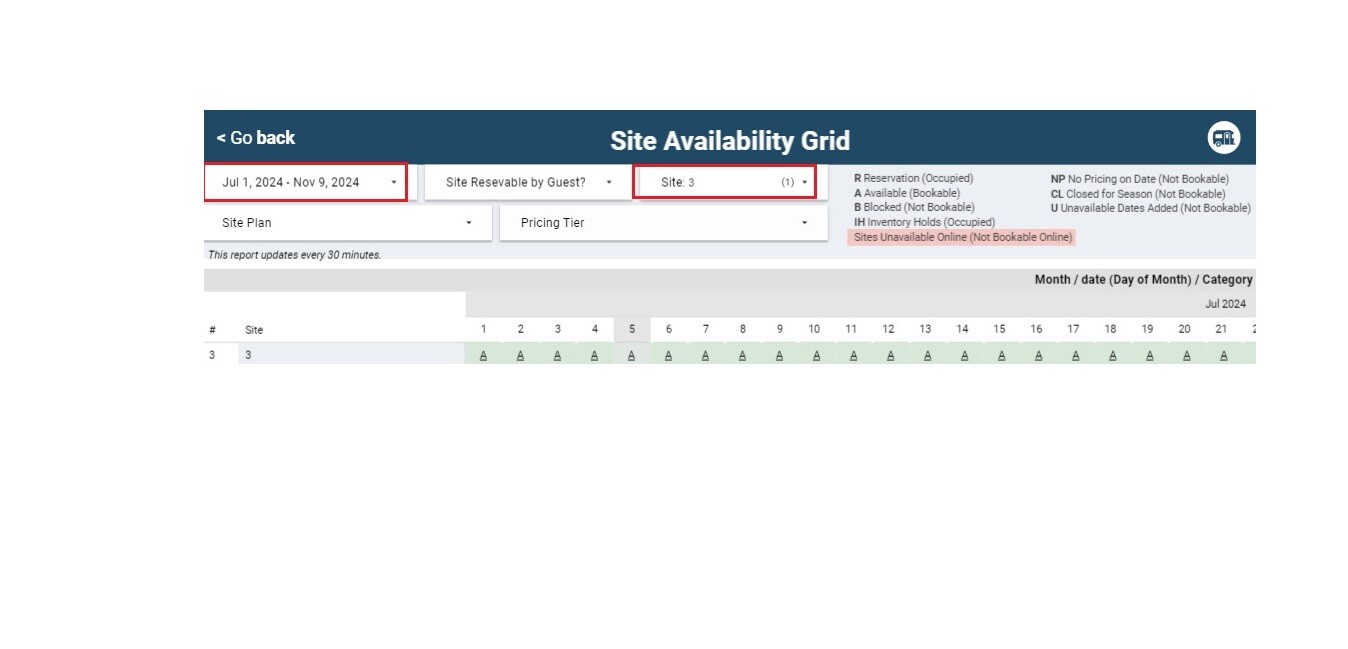
8-1

Once you locate the reservation, click on the Modify Reservation tab and change the site for it. Repeat this process for any other reservations that overlap during the dates.


    • Related Articles

    • How to Move a Reservation to a Different Site

      Follow the steps below to move a campers reservation to a different Site # within your calendar. How to Move a Reservation to a Different Site: (through 'Calendar' tab) Step 1: Login through the RoverPass Owner Portal Sign In Page Step 2: Select the ...
    • Creating a New Site Plan

      When creating a new site plan in RoverPass, the "Overview" page is your starting point. Here's a brief guide to help you navigate and complete the necessary fields: ?️ How to Video: Creating a Site Plan ?️ In RoverPass, Site Plans are commonly ...
    • How to Modify a Reservation

      How to Modify a Reservation Need to update a reservation after it's been created? The Modify Reservation feature allows you to update your guest's stay details without creating a new reservation. Using this feature, you can: Change the check-in or ...
    • Editing a Pending Reservation

      You can edit the details of a reservation in the Pending State. These situations are perfect uses for the “Modify Reservation” button: You may need to edit the price due to special pricing or change in the original request. You may need to edit the ...
    • Reservation Balance

      How Do I Know What I Am Still Owed by a Guest? A Balance Bar can be seen at the top of each 'Reservation Details' page displaying a snapshot of how much money is still owed on the reservation. The Summary Circle shows the following: Yellow = Refunded ...