Notifications that Campers Receive
RoverPass sends your campers emails and text messages at each step of their stay. This article shows each message and what you can change.
The examples use a sample campground, Pine Hollow RV Park. Your campers see your campground's details.
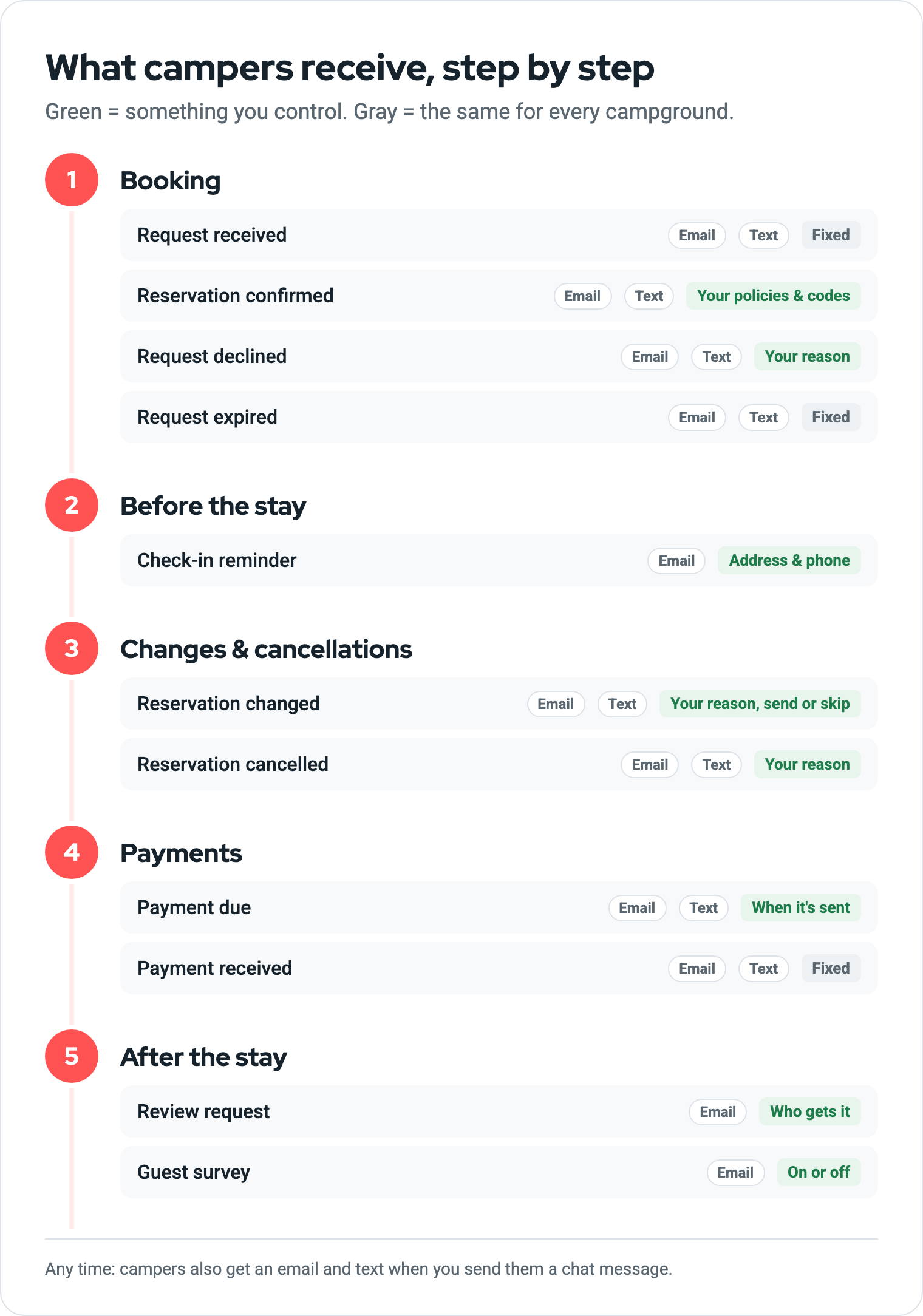
The short version
- The confirmation email is yours to shape. Your check-in details, policies, gate code, and Wi-Fi go into it.
- When you decline, cancel, or change a reservation, the reason you type is included in the message.
- Payment reminders go out on the schedule you set.
- Everything else is the same for every campground. You can't change the wording, design, or sender.
Please note: These are no-reply messages from RoverPass. If campers need help, they'll contact your campground or RoverPass Support.
1. Booking
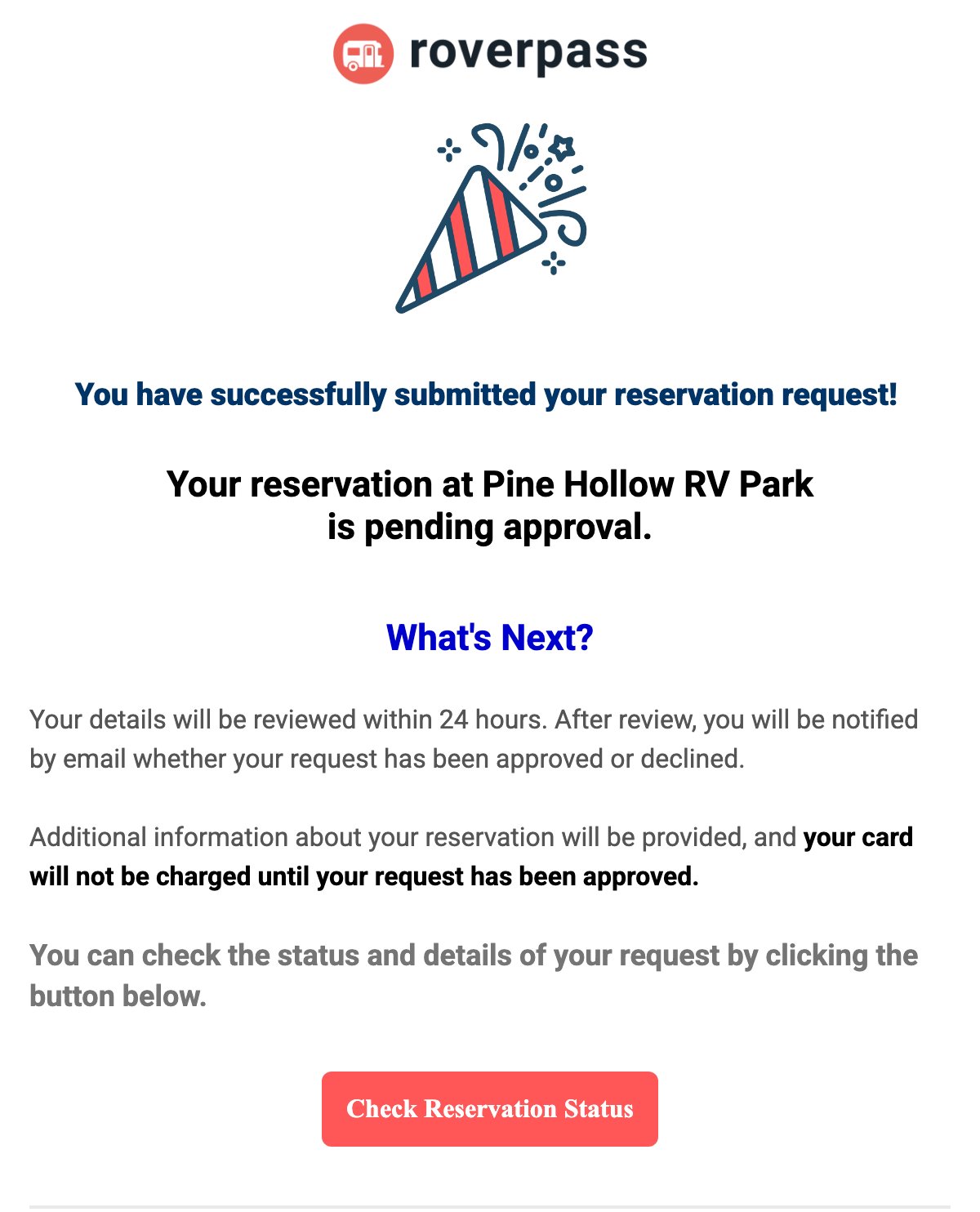
Request received
| When it's sent | When a camper requests a reservation that needs your approval. |
| What you control | Nothing. The wording is the same for every campground. |
Reservation confirmed
| When it's sent | When the reservation is booked and paid. |
| What you control | Most of this email. Each numbered section comes from your settings. Anything you leave blank is left out. |
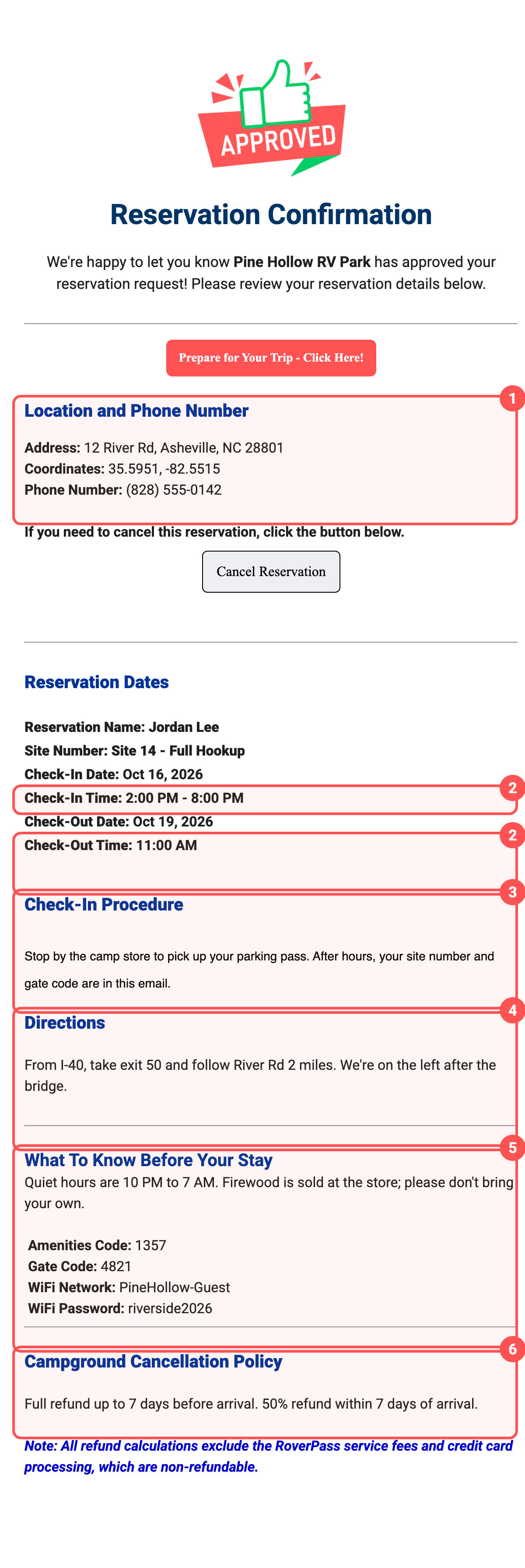
- Location and phone: from your RoverPass listing.
- Check-in and check-out times: General Settings → Policies.
- Check-in procedure: General Settings → Policies. This also shows on your public listing.
- Directions: from your RoverPass listing.
- What to know before your stay: your message, gate code, amenities code, and Wi-Fi, in General Settings → Policies. Only booked campers see this. Step-by-step instructions.
- Cancellation policy: General Settings → Policies.
If you upload a campground map, it appears in this email too.
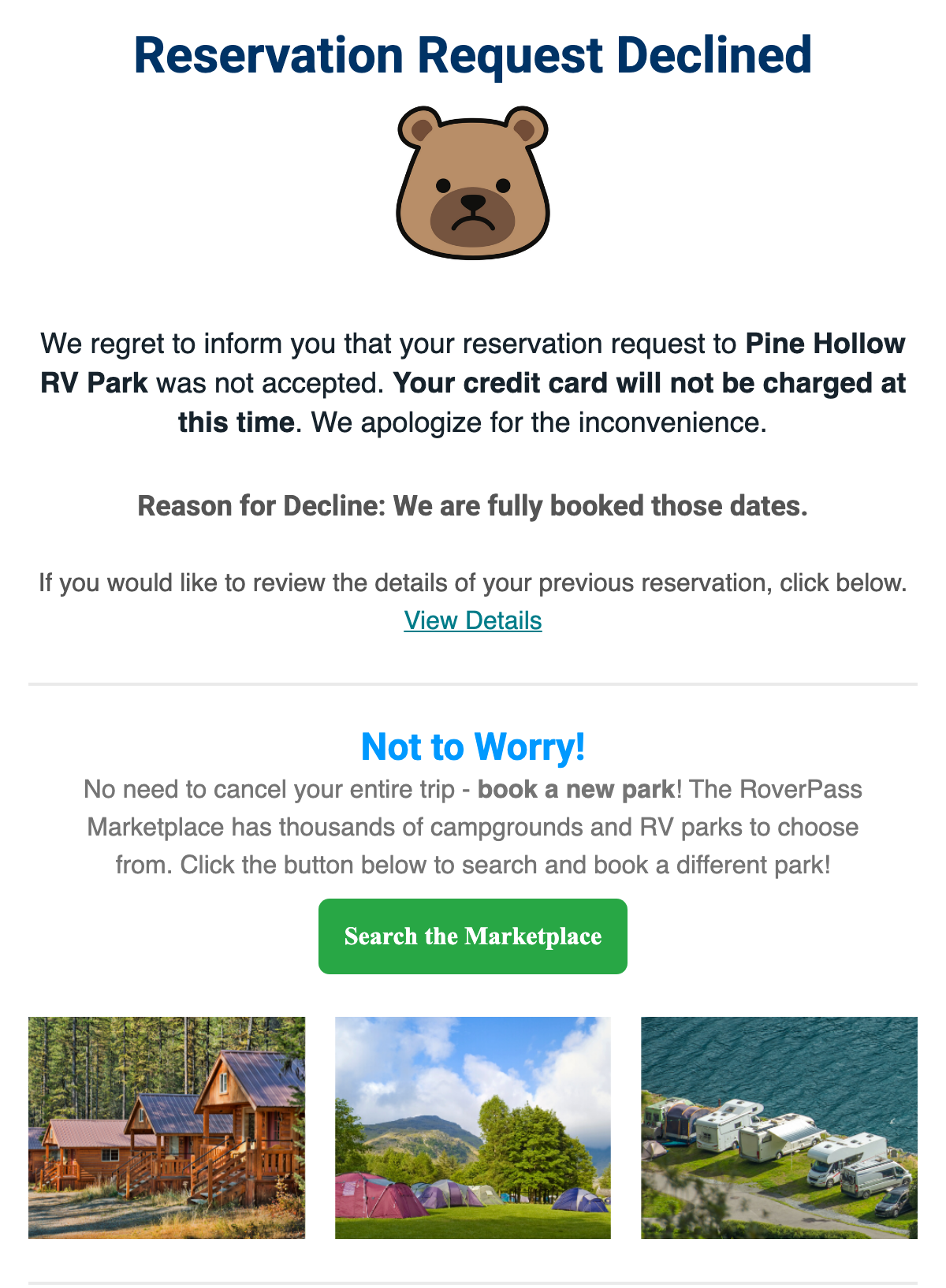
Request declined
| When it's sent | When you decline a reservation request. |
| What you control | The reason you type when you decline. |
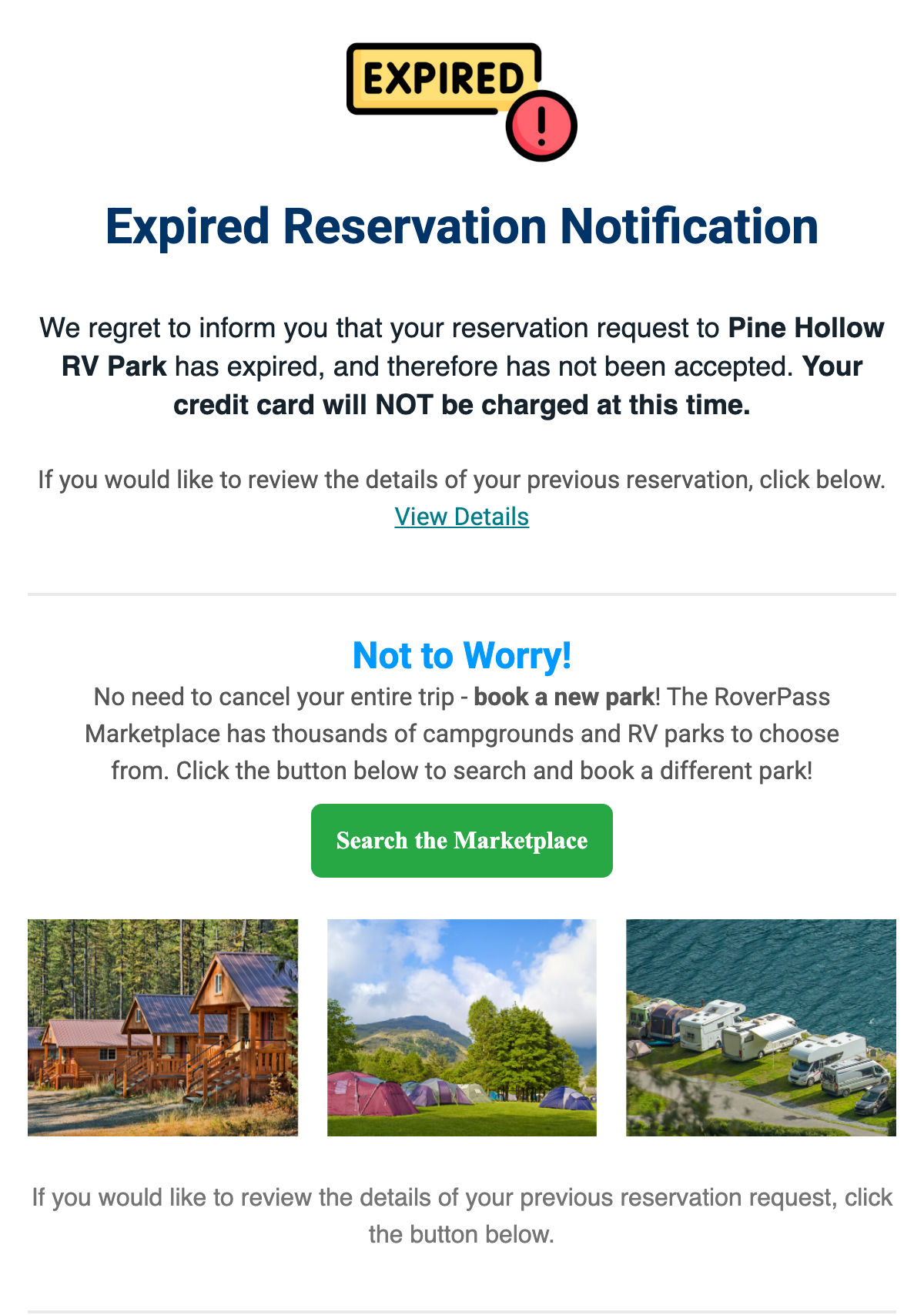
Request expired
| When it's sent | When you don't answer a request in time. |
| What you control | Nothing. Answer requests quickly so they don't expire. |
2. Before the stay
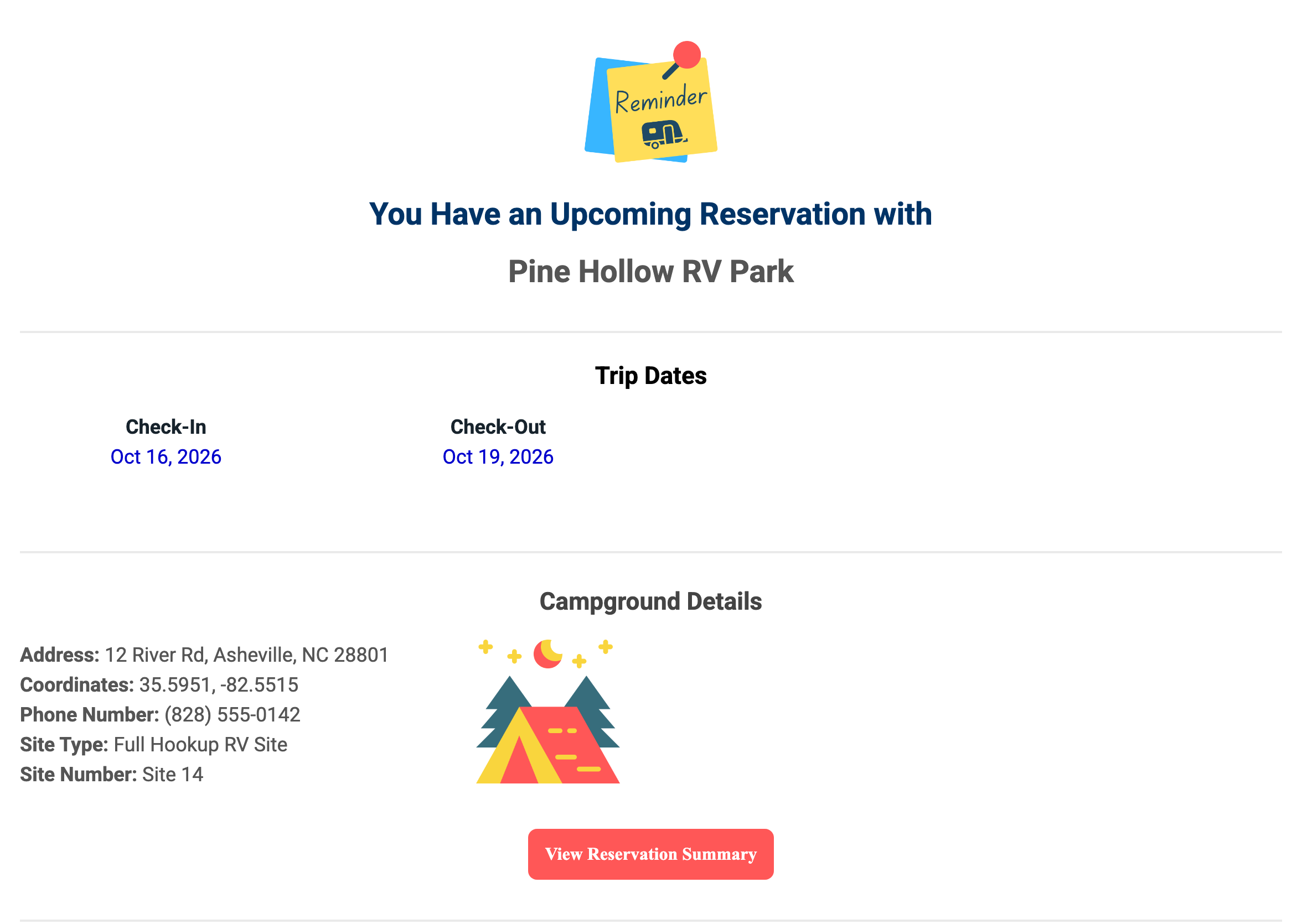
Check-in reminder
| When it's sent | Before the camper arrives. |
| What you control | Your address and phone number. Gate codes and Wi-Fi are only in the confirmation email. |
3. Changes and cancellations
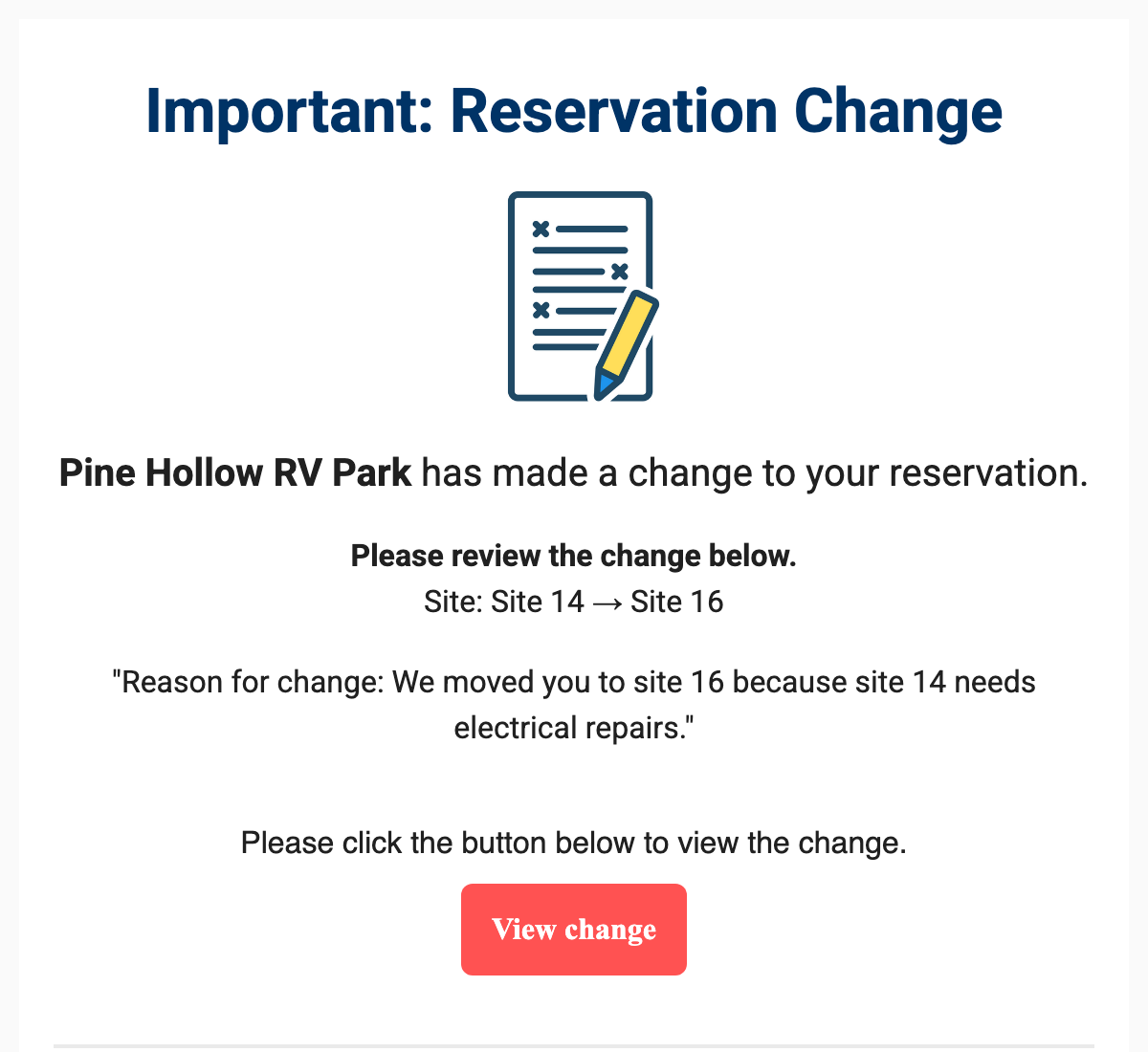
Reservation changed
| When it's sent | When you change a reservation, like the dates or the site. |
| What you control | The reason you type. If the camper doesn't need to do anything, uncheck Notify camper and nothing is sent. |
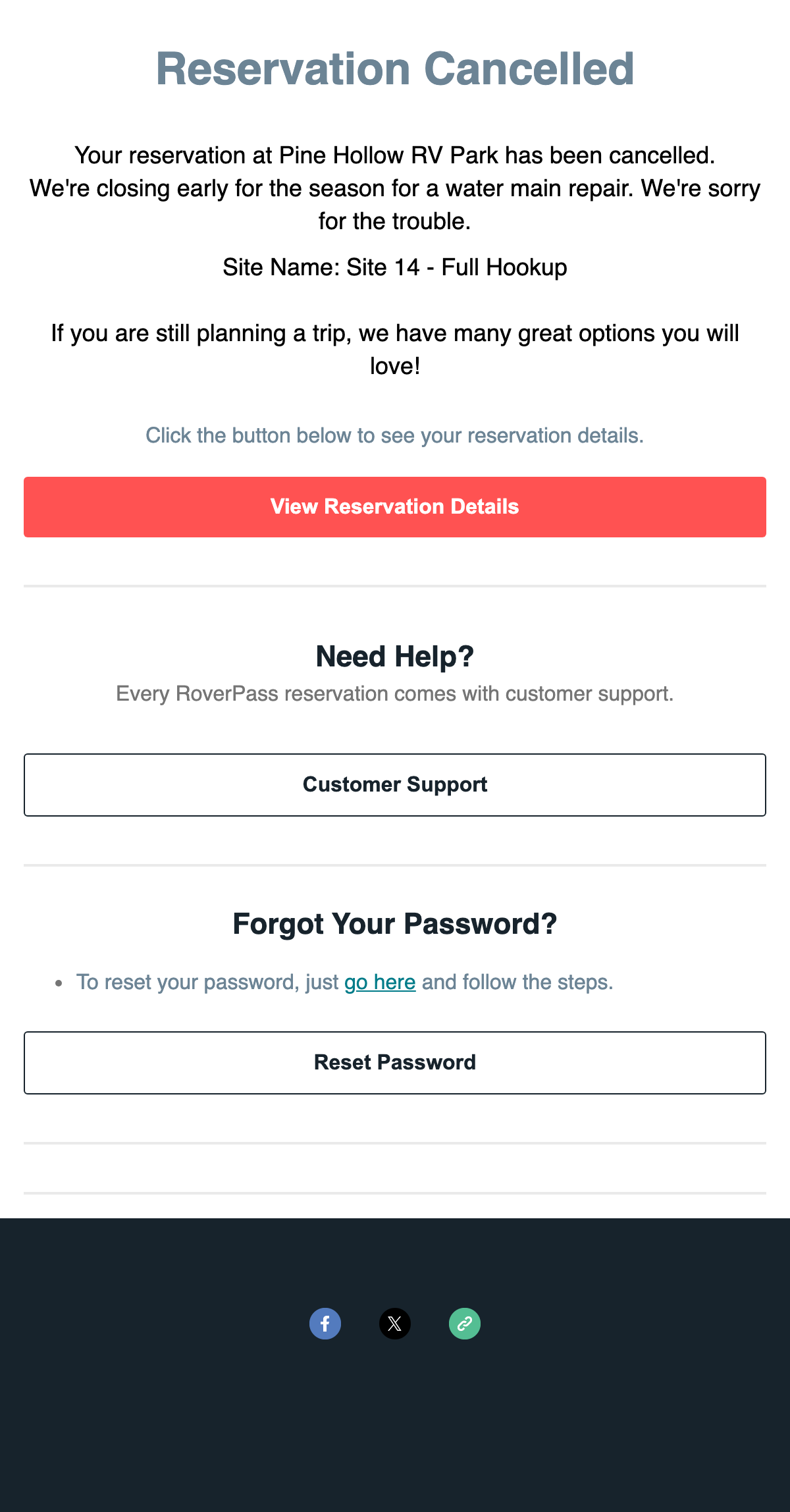
Reservation cancelled
| When it's sent | When you or the camper cancels. |
| What you control | The reason you type when you cancel. |
4. Payments
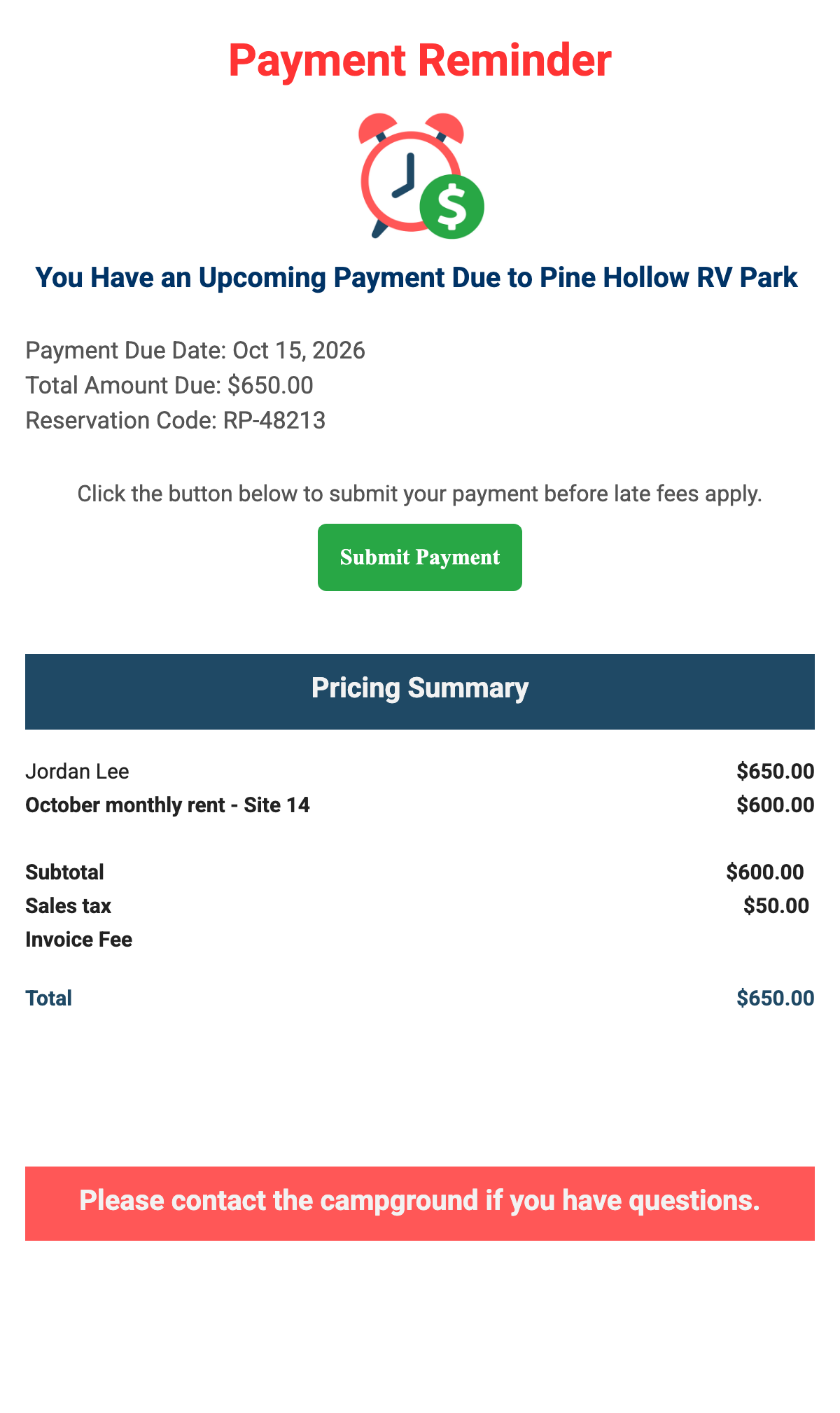
For payment plans and monthly stays.
Payment due
| When it's sent | Before a payment is due, and again if it's late. |
| What you control | How many days before the due date reminders start, and whether late reminders go out after 3, 7, and 14 days. Your payment terms show at the bottom. |
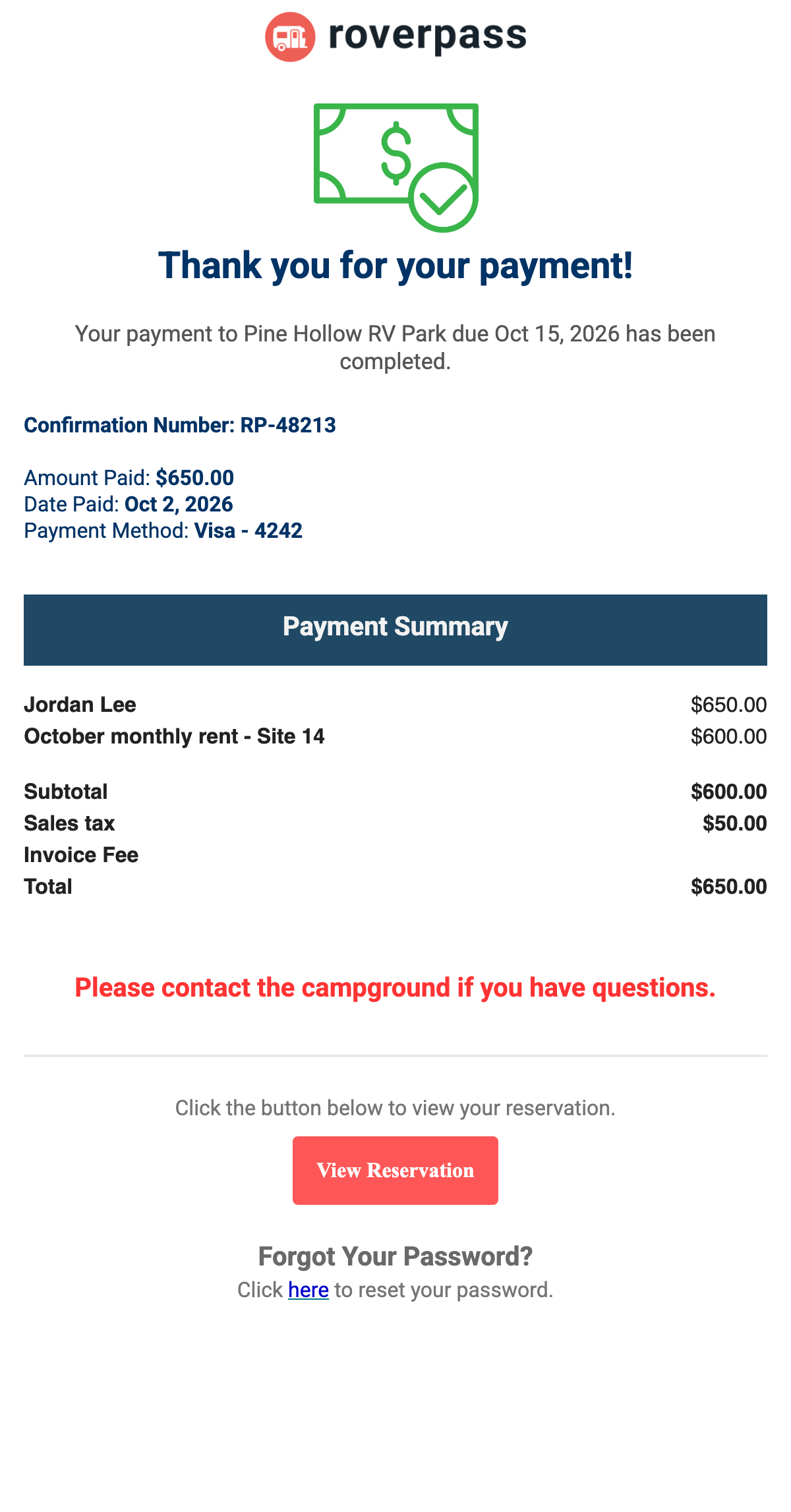
Payment received
| When it's sent | When a payment goes through. |
| What you control | Nothing. The line items come from the invoice. |
5. After the stay
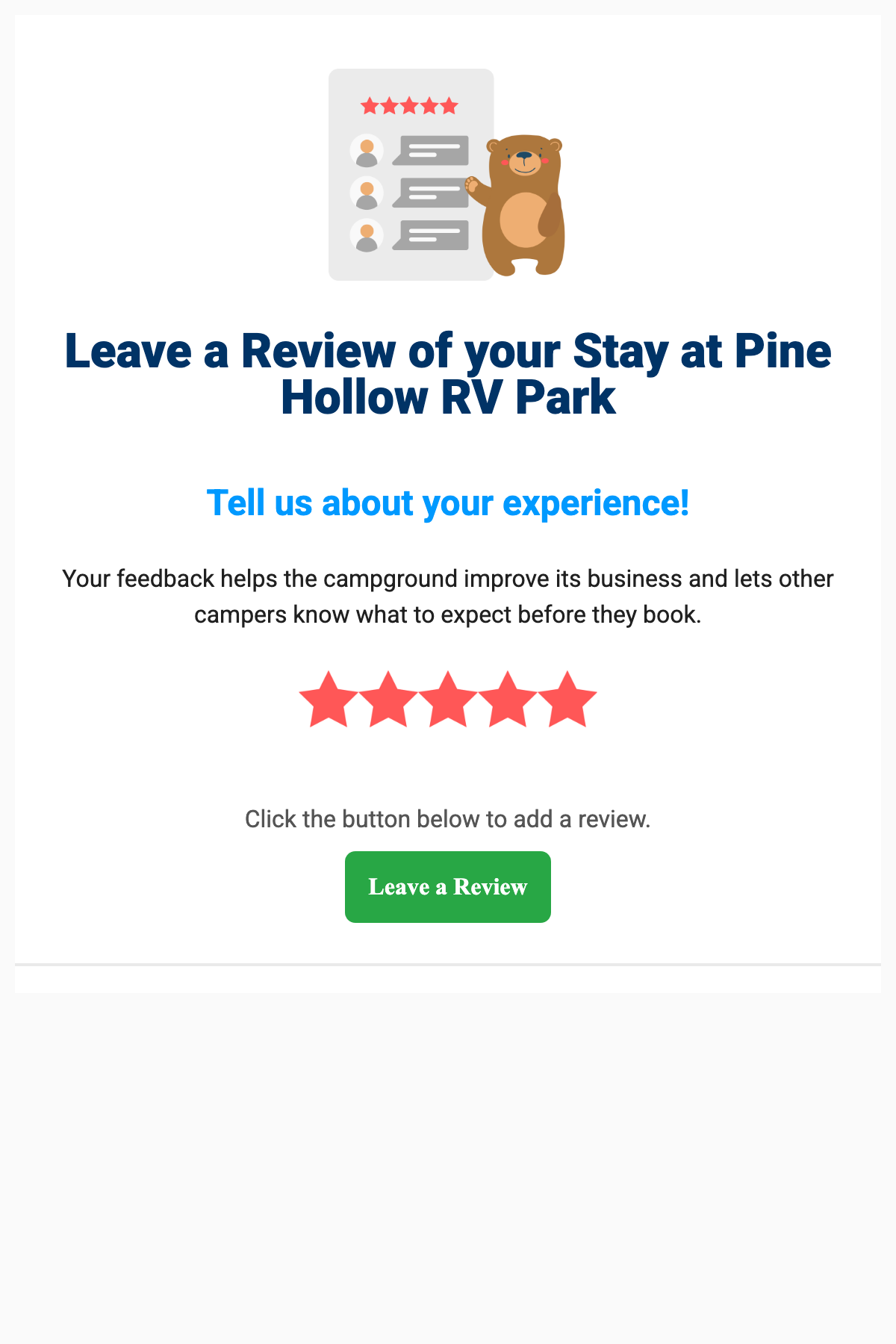
Review request
| When it's sent | When you send review requests. |
| What you control | Which campers get it. |
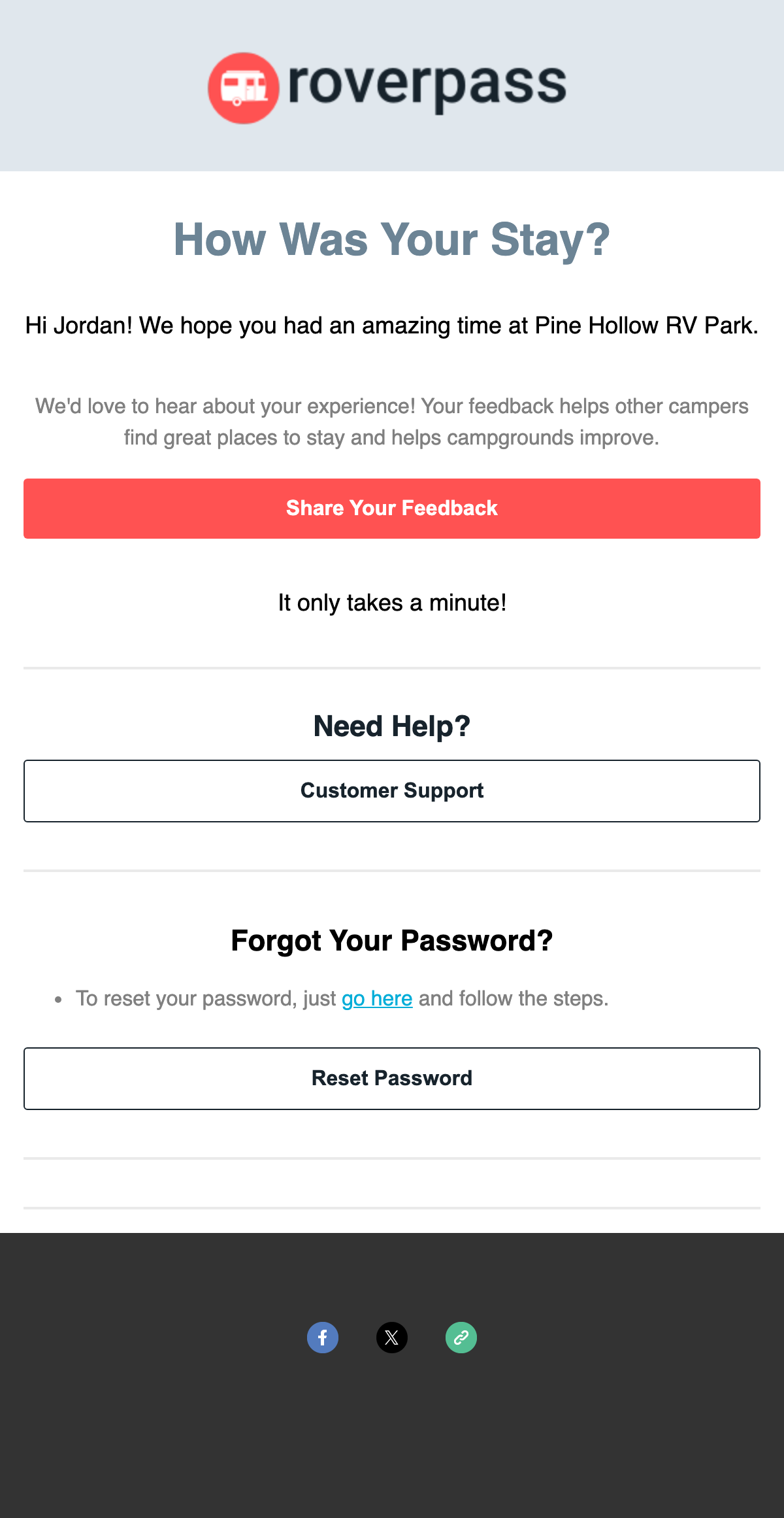
Guest survey
| When it's sent | After checkout, only if you turned on surveys. |
| What you control | Whether surveys are on, and the questions. |
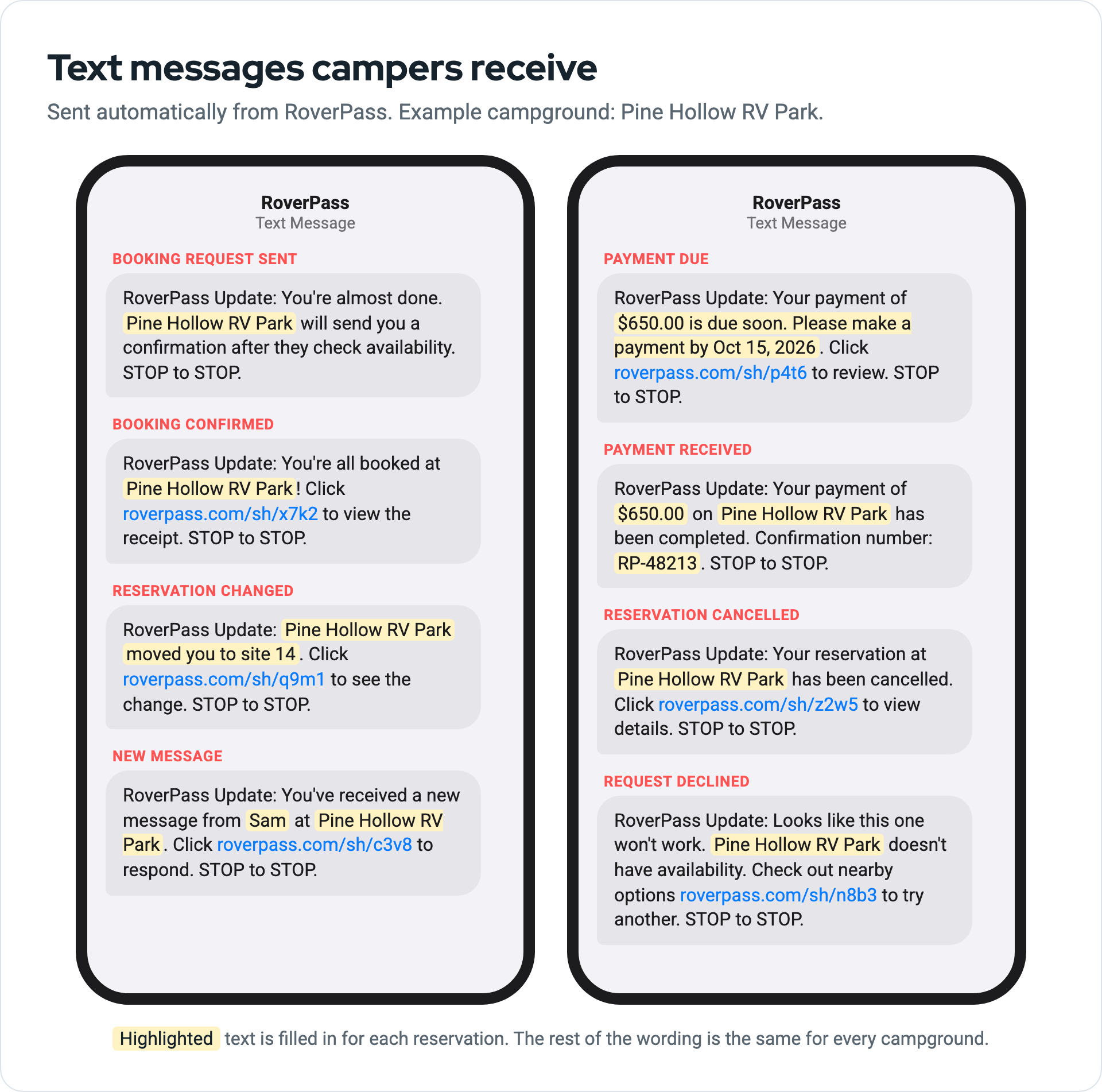
Text messages
| When it's sent | Alongside most emails, if the camper gave a mobile number. |
| What you control | The wording is the same for every campground. The only part you write is the reason when you change a reservation. Campers can reply STOP to stop texts. |
What you can't change
- The design and wording of emails and texts.
- The sender. Emails come from RoverPass, not your email address.
- Turning a message off. To stop a message, contact support.
Send copies to other people
Add extra email addresses to a reservation, like a second guest, and they get copies of its emails. Here's how.