How To: Meter Reading & Utilities
Our meter reading feature makes it easy for you to manage utility charges at your park. Simply set up the utilities you want to charge for and assign them to the appropriate sites with meters.
Creating Utilities
1. Navigate to our Meter Reading tab in the navigation sidebar
2. Click on the Utilities tab at the top of the page
3. Select + Create New Utility button and fill out the form for each utility charged at your park:
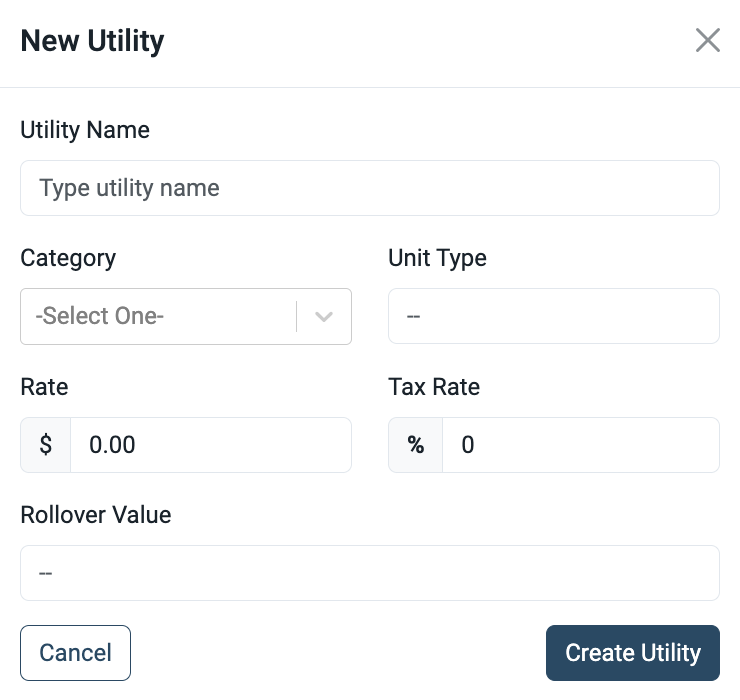
- Utility Name: The name of the utility as it will appear to guests.
- Category: Type of utility, such as water, gas, electric, internet, or trash.
- Unit Type: Measurement units (e.g., gallons, kWh).
- Rate ($): Charge per unit of utility used.
- Tax Rate (%): Applicable taxes for the utility.
- Rollover Value: Maximum meter reading before it resets to zero. For example, a 5-digit meter rolls over at 99999, then starts again at 0.
Once you’ve added the utilities you charge for at your park your ready to start assigning meters to your sites!
Setting Up Meters
1. To setup utility meters on each site, navigate to the Meters tab at the top of the Meter Reading page
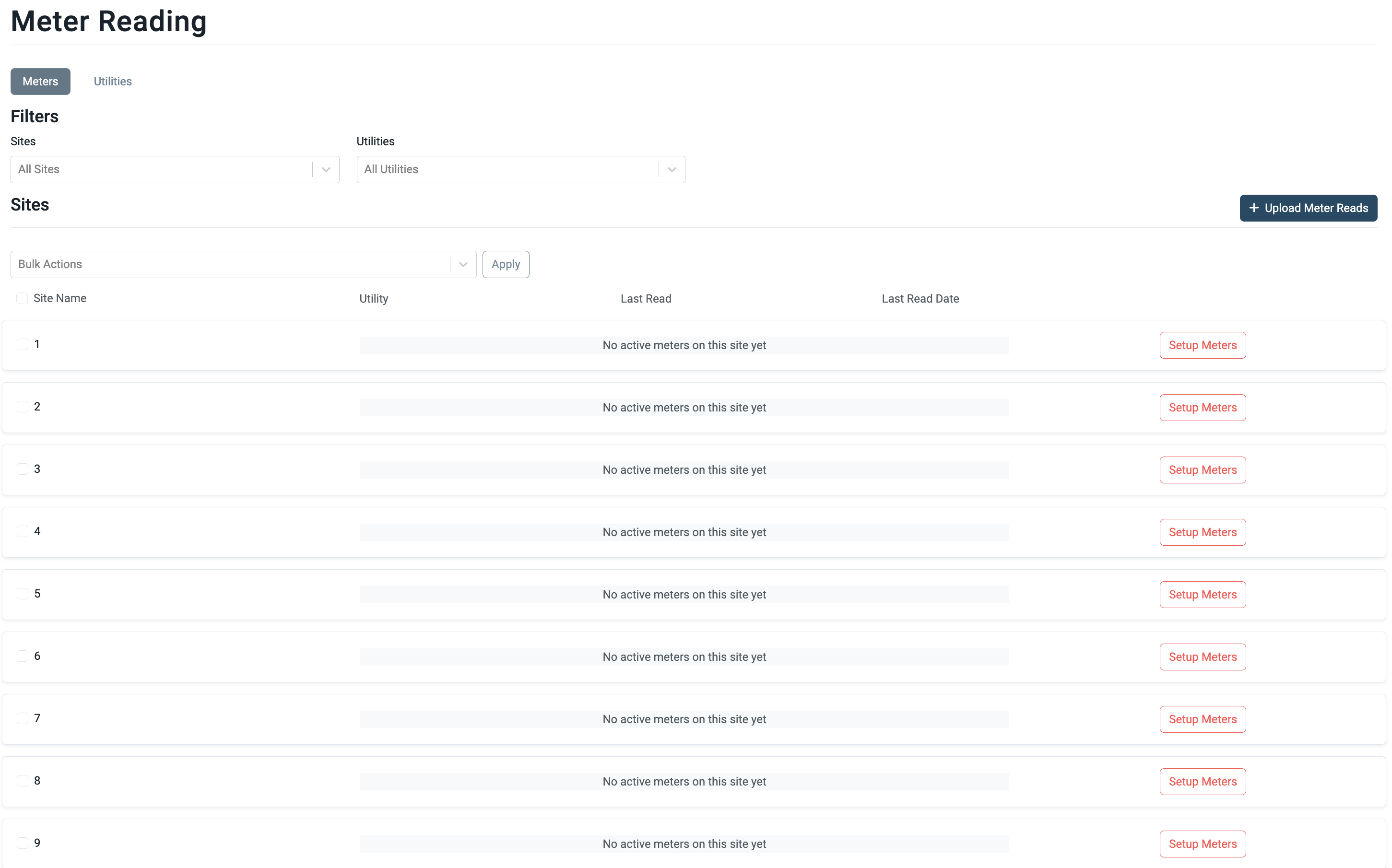
2. Click on the Setup Meters button next to each site you intend to charge utilities on
3. Select the tab for the type of utility meter you’d like to set up on that site and click the Activate Meter button
- NOTE: Users can set up multiple utilities on a site by clicking on each utility tab on the left side
4. Here the user will set the date and count of the initial read on the meter for this site
- Note: Users also have the ability to edit the Rollover Value of this meter on this screen
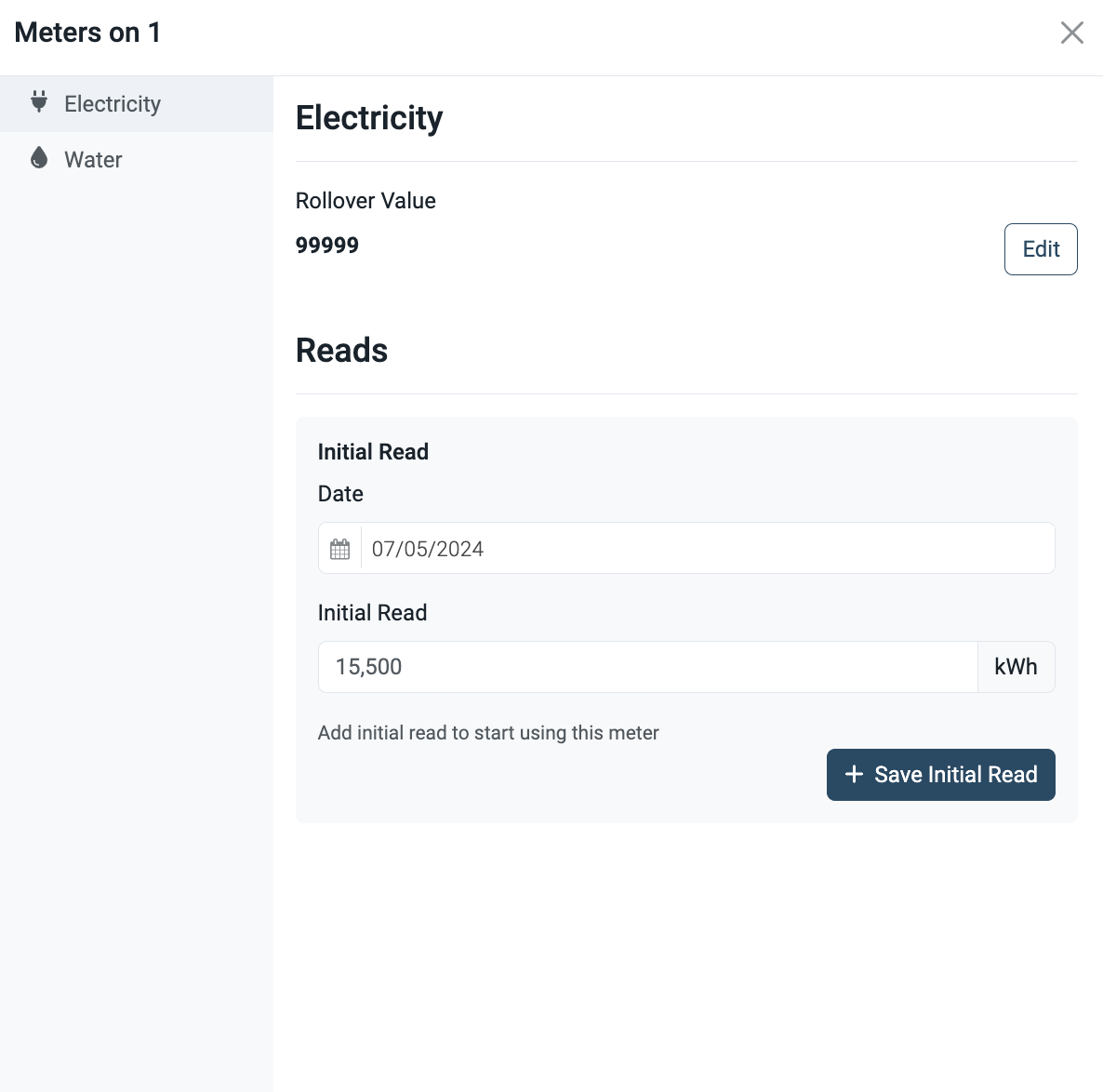
After setting the initial read on a sites meter, users are ready to start recording New Reads and applying those meter readings to guests invoices!
Adding a New Read + Applying to Invoices
Meter Readings - CSV Upload Instructions
Want to import meter reads by CSV? Check out this article!