Knowledge base

Understanding Campground Cancellation Policies

Each campground and RV park sets its own cancellation policy. Depending on the property, you may be eligible for a full refund, a partial refund, or no refund if you cancel your reservation.

Before completing your booking, we strongly recommend reviewing the campground's cancellation policy carefully. By submitting your reservation, you acknowledge and agree to the property's terms and conditions.

You can view the cancellation policy in two places during the booking process:

1. On the Campground Listing Page

The cancellation policy is displayed alongside the campground's description, amenities, rates, and other important information.
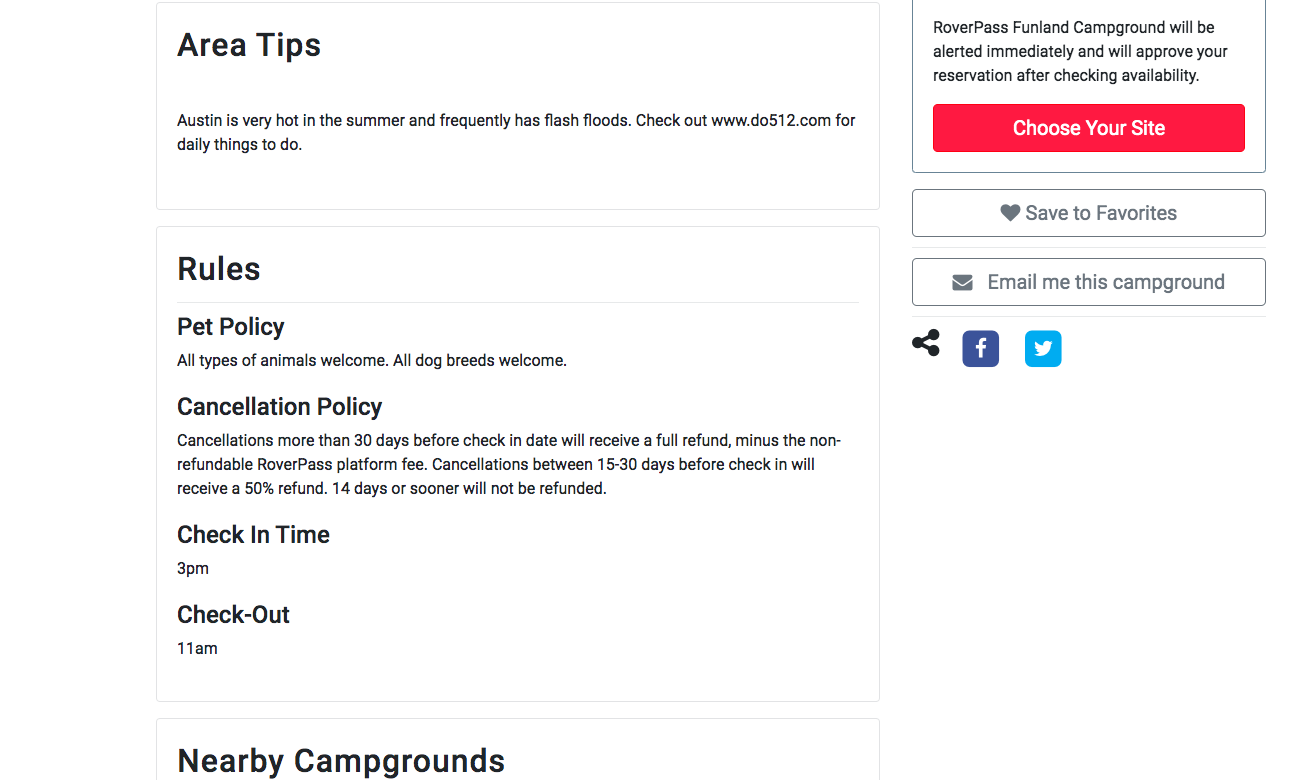
 Screen Shot 2019-10-09 at 2.57.41 PM

2. During Checkout

The cancellation policy is shown on the checkout page before you click Confirm and Pay. You'll also be asked to acknowledge and accept the reservation terms and conditions before completing your booking.

Questions About a Refund?

Refund eligibility is determined by the campground's cancellation policy. If you have questions about a cancellation or refund, you can review the policy on your reservation or contact the campground directly.

If you have any questions, please contact [email protected]

    • Related Articles

    • How to Submit a Cancellation for a Reservation

      Step 1: Login to your RoverPass account If you have never set up a RoverPass account, you can enter the email address that you made your reservation with, send yourself a password reset token, and upon logging in, your reservation(s) will already be ...
    • How Can I Check a Campground’s Rates?

      If you would like to see the price of a stay at a campground, you can easily check rates directly from the campground’s RoverPass listing. To view rates: Visit the RoverPass Marketplace. Search for the campground you'd like to visit. Open the ...
    • How To Contact RoverPass Customer Support (for campers)

      Camper Reservation Support Guide This article is for campers who have booked or are planning to book a stay through RoverPass. Need Help With Your Reservation? Most reservation-related requests can be handled directly by the campground where you're ...
    • What is a Platform Fee/Why Is It Charged

      What Is the Platform Fee? The platform fee is a convenience fee that supports RoverPass's online booking service. It allows you to book reservations securely at any time, without needing to call the campground or provide your payment information over ...
    • Placing a Reservation Request

      Some campgrounds require reservation requests instead of instant bookings. This means the campground will review your request before confirming your stay. Submit a Reservation Request Go to RoverPass.com and search for your destination. Select the ...