How to Submit a Cancellation for a Reservation
Step 1: Login to your RoverPass account
If you have never set up a RoverPass account, you can enter the email address that you made your reservation with, send yourself a password reset token, and upon logging in, your reservation(s) will already be associated to your account!
Step 2: Click on the ¨Reservations" tab in the left side menu.
Step 3: Click on the reservation which you wish to cancel. Next, click on the "Cancel Reservation" button
Step 4: Confirm that you wish to Cancel your Reservation
You will have the opportunity to submit a reason why you are cancelling. Please fill out this field then press the red ""Cancel Reservation"" button. Your reservation will automatically be cancelled. The campground will then review your cancellation along with their cancellation policy to determine if a refund is due and process accordingly.
Step 5: You are all set! Your cancellation for your reservation has been submitted to the campground. The campground will reach out to you directly if they need to regarding your refund.
 Please Note: Cancelling your Trip Insurance is separate from submitting a request to cancel your reservation. To cancel Trip Insurance that you have purchased, please click into your reservation in your Camper Portal. Then go to the Trip Insurance section, click the 'Cancel Trip Insurance' button, and proceed with following the instructions on the pop up screen.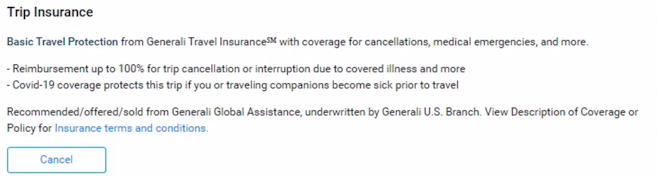
If your issue requires assistance from the RoverPass team, please email us at [email protected]