How to Modify a Reservation
How to Modify a Reservation
Need to update a reservation after it's been created? The Modify Reservation feature allows you to update your guest's stay details without creating a new reservation.
Using this feature, you can:
- Change the check-in or check-out dates.
- Update the guest's first name, last name, or phone number.
- Add or remove guests, pets, or vehicles.
- Move the reservation to another available site.
- Choose whether to notify the guest of the changes.
Note: If you need to update the guest's email address, please contact RoverPass Support. Each email address is linked to a unique camper account and reservation history, so it cannot be changed through the Owner Portal.
How to Modify a Reservation
- Log in to your RoverPass Owner Portal.
- Go to Transactions > Reservations (or open the reservation directly from the Calendar).
- Check-in and check-out dates
- First name
- Last name
- Phone number
- Number of guests, pets, or vehicles
- Assigned site (when available)
6. You can choose to notify the camper of the changes or not using the toggle at the bottom
7. Click the blue 'Submit Changes' button at the bottom of the screen
What Happens if the Price Changes?
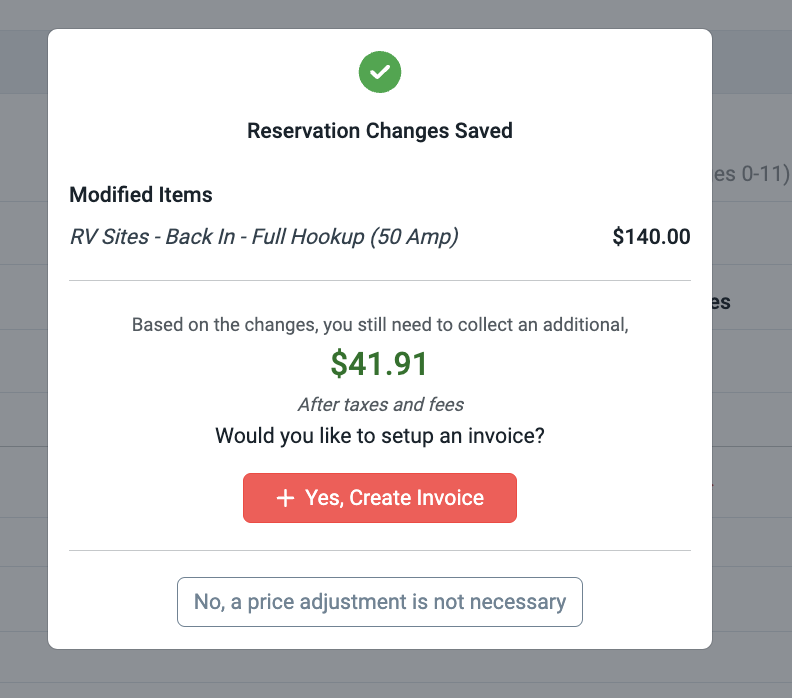
If your modifications affect the reservation total, RoverPass will prompt you to choose how you'd like to handle the balance.
You can:
- Create an invoice to collect additional charges.
- Issue a refund if the guest is owed money.
- Leave the reservation total unchanged.
If you create an invoice, you can edit the amount, add additional fees or utility charges, and send it to the guest directly from the reservation.
Checked-Out Reservations
You can also access the Modify Reservation tab after a reservation has been checked out if you need to make updates.
Need Help?
If you need to update a guest's email address or have questions about modifying a reservation, please contact RoverPass Support.