How to Modify a Camper's Information
Keeping your camper’s information up-to-date is easy. Follow these steps to modify a camper’s Name, Last Name, or Phone Number!
Did you enter the wrong phone number on a reservation? Does your camper's name have a typo? Keep reading to find out how to edit this information easily through your RoverPass Portal.
How to Modify a Camper's Information:
Step 1: Login through the RoverPass Owner Portal Sign In Page
Step 2: Click on the 'Calendar' tab in the left-hand sidebar
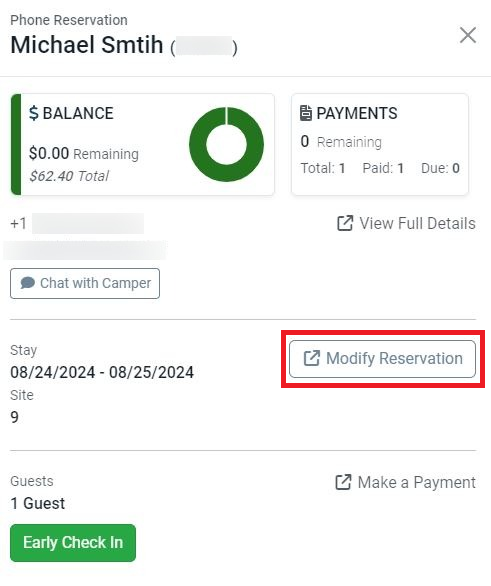
Step 3: Search for the Camper's reservation and click the 'Modify Reservation' button.
Step 4: Scroll down to find the fields you want to update and make the changes. Once you've made your edits, be sure to click 'Submit changes'!
-png-1.png)
 Please Note: If you need to change a camper's email address, please reach out to Customer Support directly. Each email address is tied to a unique user, along with all their reservations and payments. Changing the email without proper handling could disrupt their account and reservations.
For assistance, you can reach out through our Support Form.
Check out this article for more information on How to Modify a Reservation.