Knowledge base

Filter Sites Open After the Checkout Date

Have a camper that is booking for a few days but has mentioned they may want to extend? Put them on a site that you know will be available after their checkout date!

Idea
Upon creating a reservation in the Reservation Builder, check the 'Site open after..."" checkbox
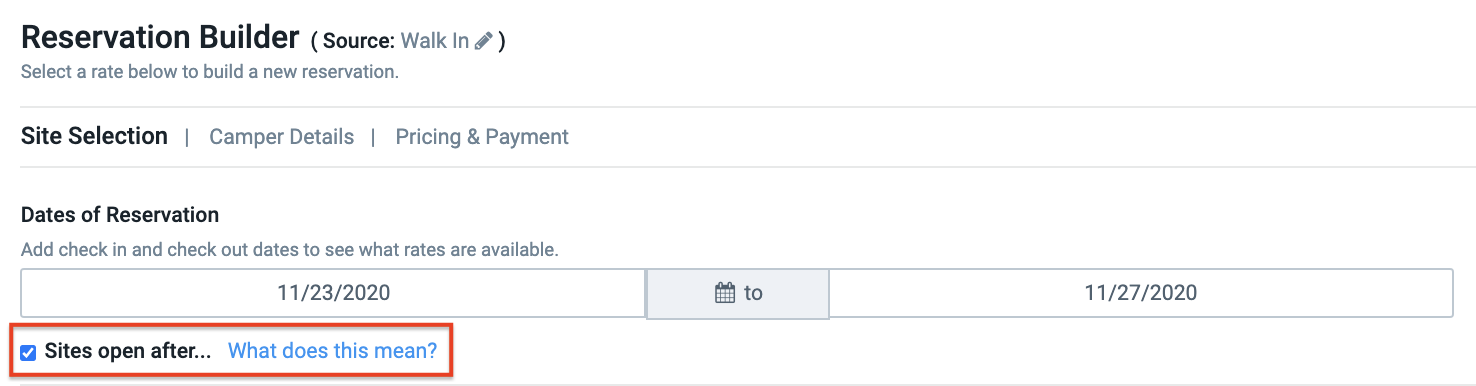
Screen Shot 2020-11-16 at 2.06.33 PM-1

Idea
Take note of the middle column site messages ""Available Sites Open After Check Out/No Available Sites Open After Check Out""
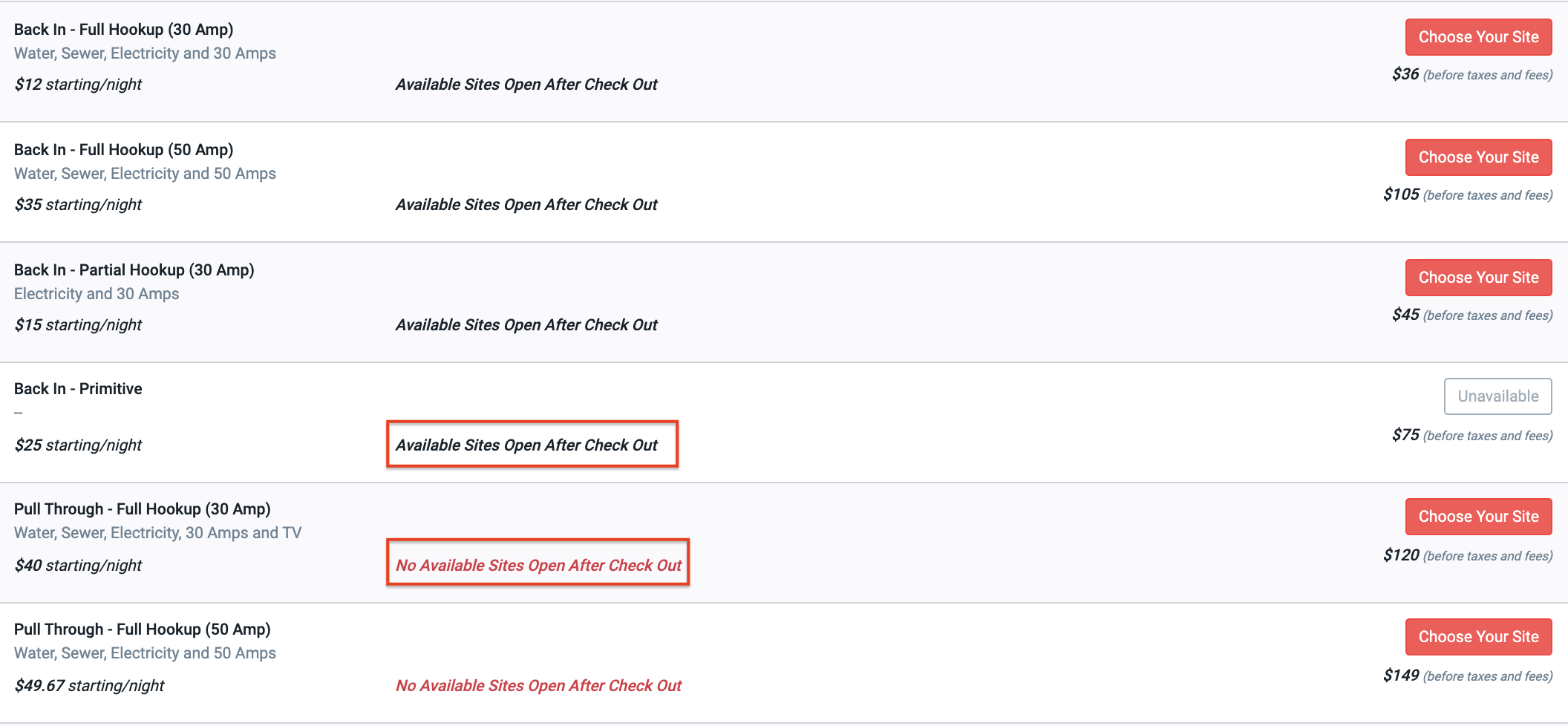
Screen Shot 2020-11-16 at 1.34.45 PM-1


Idea
Select the site type by clicking 'Choose Your Site' button, this will then ask you to pick from the available sites, this screen will also show you when the ""Next Booking:"" is for each site on the list. 
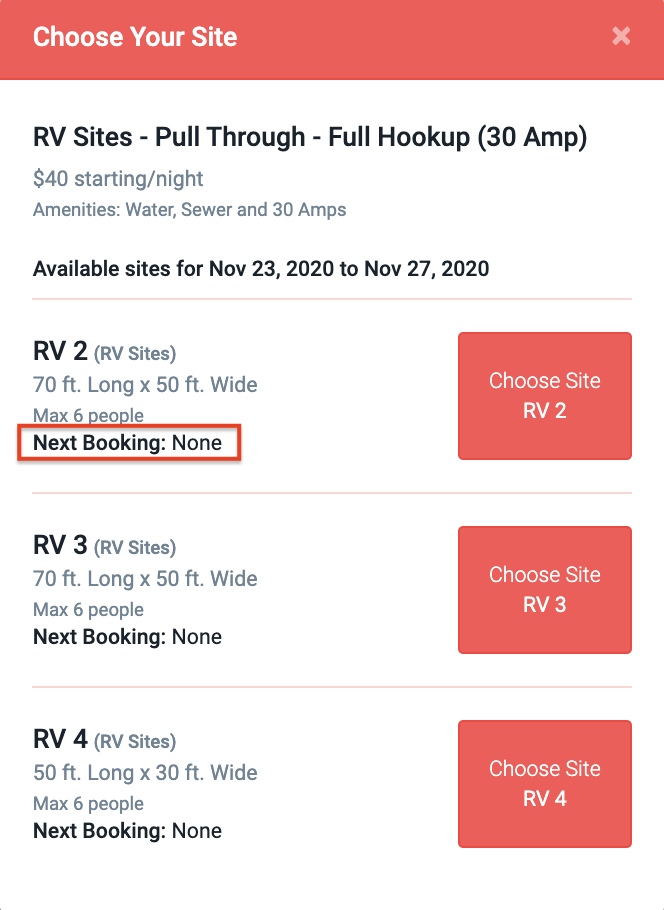
Screen Shot 2020-11-16 at 2.00.02 PM-1


Idea
Finish out the reservation process by completing the Camper Details and Payment section. Feel free to take a look at this article to see How to Create a Reservation from the Reservation Builder


    • Related Articles

    • How to Add, Edit and Archive Sites

      How to Use the 'Sites' tab in your RoverPass Owner Portal to edit your individual Site details and add new sites. Do you need to edit your park's Site details or create a New Site? You can do so using the Sites tab in your RoverPass Owner Portal! ?️ ...
    • Checkout Process

      When you are ready to checkout your guest, you can process payment via credit card, cash, or check. Processing the sale via Cash: Step 1: After clicking the 'Checkout' button at the bottom of the Shopping Cart, the 'Payment' screen will appear Step ...
    • Choose Your Invoice Send Date

      RoverPass allows you to choose how far in advance of the Due Date an invoice is sent to a guest and sends reminders if the guest does not pay on time! Set Your Send Date: This can be done in two ways: Account Wide Override on an Individual Invoice ...
    • Cash drawer won't open when I print a receipt

      The Receipt Prints, but the Cash Drawer Won't Open If your Volcora thermal printer prints receipts but your cash drawer doesn't open, don't worry—this is usually caused by a simple configuration issue rather than faulty hardware. Before You Start If ...
    • Collect Payment at a Later Date

      The 'Pay Later' feature allows you to enter your guest's reservation information (camper details, dates, site type) and then send the invoice to your guest via email and complimentary text message. This invoice allows your guests to complete payment ...